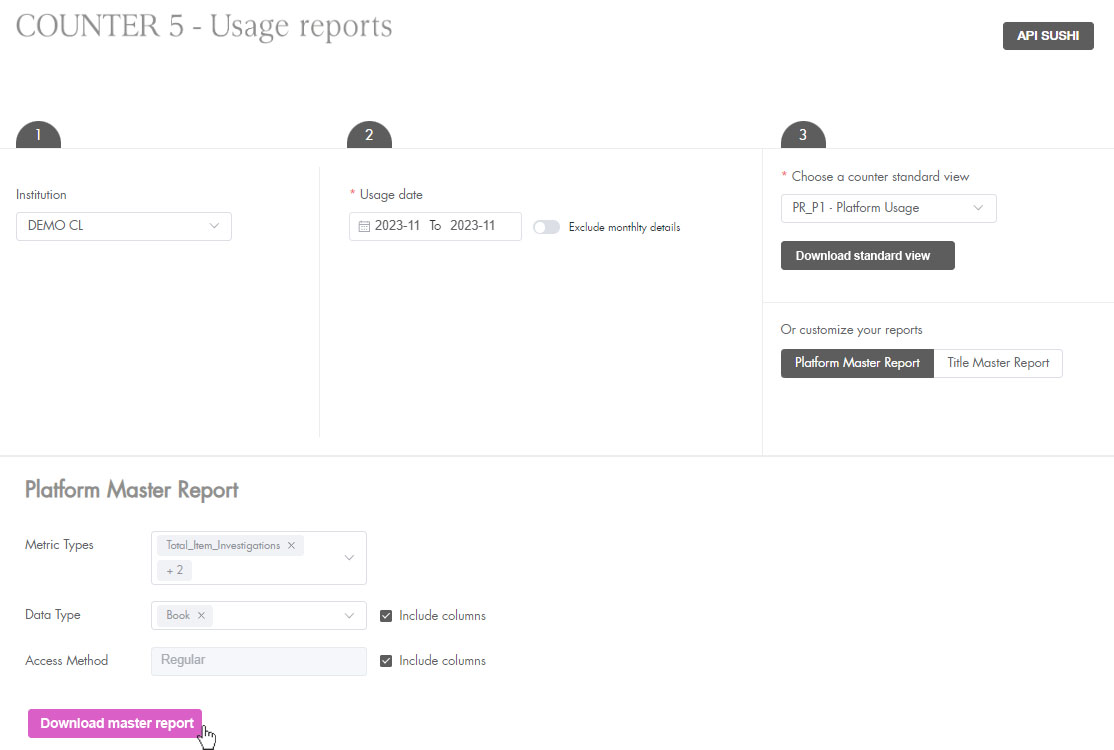
The default format is Counter 5.1. If you wish to continue using the Counter 5.0 format (available until February 2026), use the button at the top of the page.

Standard reports
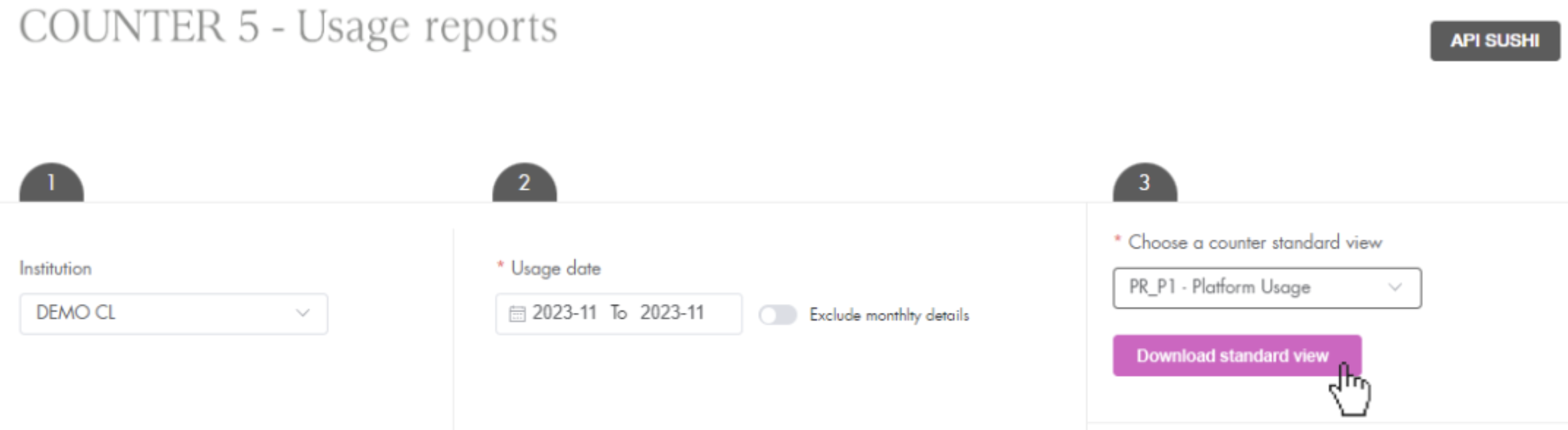
To generate your standard COUNTER 5 reports:
-
Select the institution for which you want to create a report, or leave the list unselected if you want to create an overall report for all institutions.
-
Select the period (the last available period is pre-selected), and whether or not you want the monthly detail (included by default).
-
Choose one of the available standard views, click on the Download standard view button, the report will be immediately created and downloaded to your computer.
Customised reports
To customise a Platform Master Report or Title Master Report:
-
Follow steps 1 through 3 but instead of clicking Download standard view, select the type of report you want to customize: Platform Master Report or Title Master Report
-
Apply the desired filters and click Download master report. A greyed out filter indicates that there are no other options available.